Choose the recovery job
Link Reclamation vs Broken Link Building: What’s the Difference?
A practical decision guide for choosing between recovering recognition you already earned and proposing an equivalent replacement for someone else’s dead resource.
The short answer
Reclaim your own recognition; replace a third party’s dead reference only when equivalence is real.
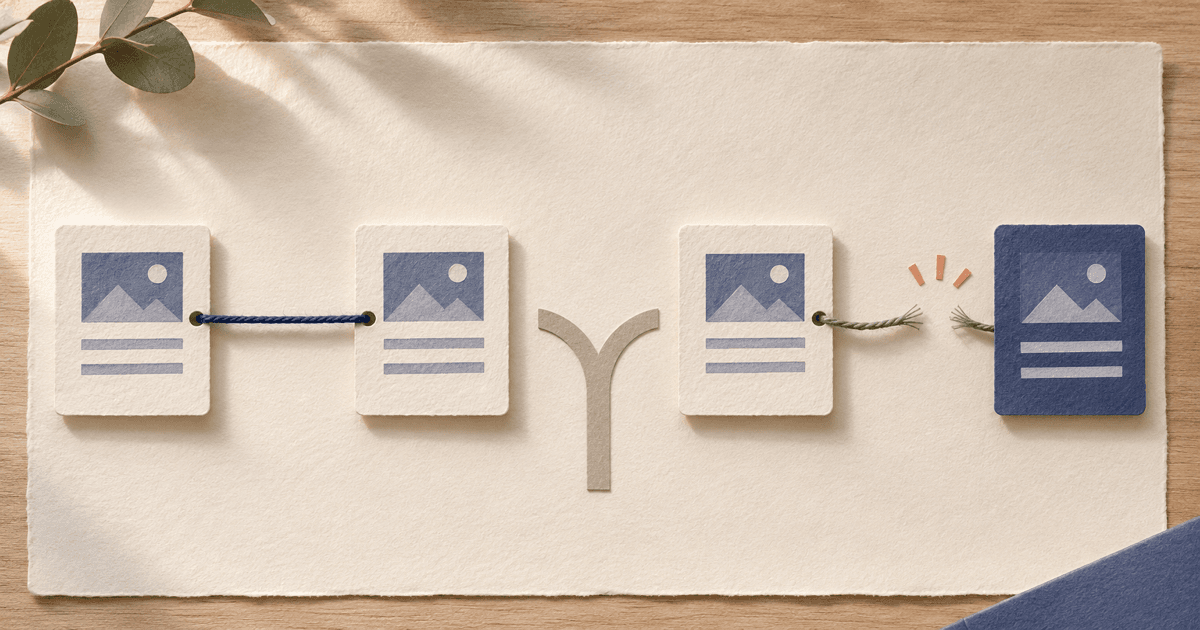
Use link reclamation when a backlink, mention, destination, or attribution connected to your own work was lost, changed, or misdirected. Use broken link building when a relevant publisher’s page contains a dead link to somebody else’s resource and you can offer a useful page that preserves the original reader task. Neither tactic guarantees a link, ranking change, or traffic outcome.
The short difference is who owned the original recognition
The easiest way to choose is to ask where the broken or missing reference points. If it points to your own site, start with link reclamation. If it points to somebody else’s dead resource, you may have a broken link building opportunity. That distinction changes the evidence you need, the amount of control you have, and whether outreach is even necessary.
Neither method guarantees a backlink or ranking result. Both work best when the proposed action improves a real reader path and leaves the publisher free to decide what belongs on the page.
| Question | Link reclamation | Broken link building |
|---|---|---|
| Starting point | A link, mention, destination, or attribution connected to your own work changed or was omitted. | A relevant publisher page contains a dead link to somebody else’s resource. |
| Ownership of the link | You are trying to repair recognition that was already yours or closely connected to your work. | You are proposing a new reference. The publisher owns the decision and may choose another source. |
| Best evidence | Last confirmed source page, current href or mention, destination status, redirect history, and your ownership evidence. | Dead destination, surrounding passage, historical resource, original citation purpose, and equivalent replacement. |
| Control | You often control the first fix: restore the page, repair a redirect, or publish the correct destination. | You control the replacement resource, but not the publisher page, wording, link, or final decision. |
| Outreach | Optional for technical fixes; specific and respectful when a publisher edit is actually needed. | Usually required if you want the publisher to replace a dead third-party reference. |
| Effort | Often starts with a small maintenance fix, then moves to evidence-based follow-up. | Requires prospect research, historical inspection, replacement judgment, and a new editorial conversation. |
| Resolution pattern | More directly resolvable when the issue is on your site; a publisher can still decline an edit. | Less predictable because the publisher may repair the original, remove the reference, or prefer another source. |
Five cases that look similar but need different actions
A backlink tool may group these under “broken” or “lost,” but the label is not enough to choose a workflow. Inspect the exact source URL, the destination, the surrounding text, and what the publisher appears to be trying to help the reader do.
| Observed case | Use first | Proportionate next step |
|---|---|---|
| A backlink to your old URL returns 404 | Link reclamation | Fix or redirect your own URL to the closest equivalent first. Contact the publisher only if the source still needs a precise update. |
| A relevant article removed your link | Link reclamation | Verify that the removal was not an intentional editorial change. If the page still benefits from the reference, send one optional correction note. |
| A publisher mentions your product without a link | Link reclamation | Treat the mention as recognition, not an entitlement. Ask only when a link would help readers verify or use the thing mentioned. |
| A resource page links to an external guide that is gone | Broken link building | Inspect the historical guide and surrounding context. Offer an existing or new resource only if it preserves the original reader task. |
| A competitor has a dead external link on a relevant page | Broken link building | The competitor is only part of the evidence. The opportunity exists only if your replacement is genuinely equivalent and useful to that audience. |
The word “competitor” does not change the editorial standard. A competitor’s dead link is still only a candidate if your resource preserves the original purpose. Start with the page, not the perceived value of the domain.
Decision tree: choose the tactic before you search
Use this compact tree to avoid sending a broken-link pitch when the correct fix is on your own site—or asking for a reclaimed link when there was never a reference to you.
- 01Does the source page point to your site, your old URL, your product, your research, or your brand? Yes → start with link reclamation. No → continue.
- 02Is the external destination unavailable, unrelated after a redirect, or clearly no longer the intended resource? Yes → continue. No → this is not a broken-link opportunity; look for another reader-first reason to contact or leave it alone.
- 03Can you identify what the dead resource helped the reader do? Yes → test replacement equivalence. No → report the issue without pitching or discard it.
- 04Does an existing page of yours perform the same job for a similar audience? Yes → offer it as an optional replacement. No → create a resource only if it is useful independently of the placement.
- 05Would the edit clearly improve the publisher’s page? Yes → send one specific, publisher-first note. No → do not contact the publisher.
Link reclamation: a 30-minute recovery workflow
Reclamation is a maintenance and correction job. It can be partly under your control, especially when a migration or redesign left an old URL without a suitable destination. The Backlink Monitoring Checklist is useful after you restore a path or ask for an editorial correction.
- 010–5 minutes: choose the asset. Pick one product, report, guide, image, launch, or migrated URL. Write down the current and previous destinations, old names, and the last date you know the recognition was live.
- 025–10 minutes: collect leads. Use Search Console’s Links report as one sampled view, analytics for observed referral visits, brand searches for mentions, and a backlink tool for historical or lost-link leads. None of these sources is complete; every lead needs page-level verification.
- 0310–18 minutes: verify the exact page. Open the source URL and record the status, redirects, current href, anchor, nearby text, canonical, robots directives, rel values, and last successful check. If the source is inaccessible, label the state unknown rather than assuming the link is lost.
- 0418–24 minutes: fix what you control. Restore the destination or add a redirect only when the new URL is a close equivalent. Update your own page, title, product name, or attribution evidence before asking a publisher to change anything.
- 0524–30 minutes: decide whether to contact. Contact only when a factual correction or reader-helpful edit is clear. Give the exact source page and smallest useful correction, accept a no, and record the outcome in your monitoring log.
Broken link building: a 30-minute replacement workflow
Broken link building starts with another publisher’s page and another party’s dead resource. The central test is replacement equivalence: the proposed page should preserve the old reference’s audience, task, scope, and usefulness, not merely share a keyword.
For the full research and communication process, use the Broken Link Building guide. This comparison keeps the focus on deciding whether that tactic is appropriate in the first place.
- 010–5 minutes: define the reader task. Start with a topic, resource page, tutorial, documentation page, or citation footprint where your product or resource can genuinely help. Do not begin with a random list of 404 URLs.
- 025–10 minutes: find a dead external reference. Inspect outbound links on relevant pages with a browser, crawler, or backlink tool. Confirm the destination is unavailable more than once when a timeout or server error is involved, and follow redirects to the final page.
- 0310–16 minutes: recover the original purpose. Use the Wayback Machine when possible. Determine whether the old resource was a definition, dataset, tool, guide, citation, or documentation page and what the reader expected after clicking.
- 0416–23 minutes: test replacement equivalence. Compare audience, task, scope, format, evidence, and freshness. An unrelated homepage or thin commercial page is not equivalent. If no honest replacement exists, report the issue without pitching or discard it.
- 0523–30 minutes: send one useful note. Name the exact source page, dead link, surrounding section, and original purpose. Mention your resource only as an optional fit. The publisher can repair the old link, choose another source, remove the link, or do nothing.
Illustrative SaaS example: the same symptom, two different jobs
Imagine a fictional SaaS product called LedgerLoop, which helps small teams keep vendor documentation organized. This example is illustrative; it does not describe a customer, a real placement, or a predicted result.
First, a startup directory once linked to LedgerLoop’s “vendor onboarding checklist,” but a site migration changed the URL and the old path now returns 404. LedgerLoop should restore or redirect its own path, verify the destination, and contact the directory only if the page still needs a direct edit. That is link reclamation.
Separately, a fictional operations blog links to an old vendor handoff guide from a paragraph about documenting ownership. The guide is gone, and the Wayback Machine shows that it explained the exact handoff task. If LedgerLoop maintains a comparable guide that helps the same reader do the same job, it may send an optional replacement note. That is broken link building.
The product name appears in both stories, but ownership of the original citation changes the decision. LedgerLoop cannot assume the second publisher owes it the link, and it should not pitch a product homepage where a task-specific guide is needed.
Common mistakes and editorial limits
Both tactics become noisy when the link is treated as the objective instead of the reader’s path. Use the Backlink Quality Checklist to inspect the exact page and context before deciding that any recovery or replacement is worth pursuing.
- Calling a competitor’s dead outbound link a lost backlink. The destination and ownership tell you which workflow applies.
- Redirecting every old URL to the homepage. A redirect should lead to the closest useful equivalent, or the old URL should remain unavailable.
- Treating an unlinked mention as a promise. Publishers may intentionally mention a product without linking or may have a no-link policy.
- Offering a generic commercial page as a replacement for a guide, dataset, definition, or tool. The format and reader task matter.
- Recreating thin content from an archived page solely to capture its old link. A replacement should be useful on its own.
- Sending bulk messages, inventing familiarity, or following up until a publisher gives in. One specific note is enough; silence is an editorial answer.
- Assuming a link attribute, status code, or tool alert proves ranking impact. Record observed facts separately from inferences and avoid guaranteed outcomes.
Do not contact the publisher when the page is irrelevant, inaccessible, abandoned, unsafe, intentionally edited, or offers no honest reader benefit. A clean decision to ignore a lead is better than forcing an unrelated link into a page.
Questions founders ask
What is the difference between link reclamation and broken link building?
Link reclamation repairs recognition connected to your own site, such as a lost backlink, broken destination, or unlinked mention. Broken link building finds a dead external reference on another site and suggests a resource that preserves the original citation’s purpose. The first is recovery; the second is a new editorial decision.
Is a broken backlink the same as a lost backlink?
Not necessarily. In this comparison, a lost backlink is a link to your site that disappeared or changed. A broken link-building opportunity is an outbound link on another publisher’s page whose third-party destination is dead. The exact source page and destination determine which workflow applies.
Should I contact a publisher for every unlinked mention?
No. Contact a publisher only when the mention is relevant, the link would help readers verify or use what was mentioned, and your request can be specific and easy to evaluate. A publisher may intentionally avoid links or prefer to leave the mention as written.
When is a redirect better than outreach?
A redirect is usually the cleaner first move when a URL you control moved to a closely equivalent page. It restores the reader path without asking an editor to update an old article. Do not redirect an unrelated URL to your homepage just to keep a backlink alive.
Does broken link building guarantee a backlink?
No. Reporting a dead reference may help a publisher, but the publisher decides whether to repair, remove, or replace it and which resource to use. A useful replacement can earn consideration without guaranteeing a link, ranking change, or traffic outcome.
Sources
Definitions and policy guidance can change. These primary sources were checked while preparing this article.
Choose the recovery job before you choose the outreach list.
If you need to recover recognition, start with the link reclamation guide and verify the result with the backlink monitoring checklist. If you are evaluating a new publisher conversation, review the exact page with the backlink quality checklist. Indie Chains can help founders discover relevant publisher conversations, but publishers keep control of publication, wording, destination, and link attributes.